If you want a car that launches clean, traps hard at the stripe, and tops out at max speed in Drag Drive Simulator, you need a setup built around launch consistency, not just raw horsepower. According to community data from the Indonesian-inspired drag community, most racers lose the race in the first 1.5 seconds because their launch control, gear ratio, and tire compound are misaligned. This guide breaks down the exact tuning slider values, launch sequence, and vehicle picks that produce the fastest drag setup in Drag Drive Simulator.
Drag Drive Simulator Fastest Drag Setup: The Core Layout
Every record-breaking Drag Drive Simulator fastest drag setup in 2026 is built from four interacting layers: chassis choice, engine tune, drivetrain, and launch behavior. The official DDS page currently shows 561M+ visits and 2.9M+ favorites, which means the meta is heavily contested — but the community-tested blueprint below has consistently produced the highest terminal speeds on the main 1/4 mile strips.
| Layer | What It Controls | Top Setup Pick | Why It Wins |
|---|---|---|---|
| Chassis | Weight, grip, aero | Mid-weight coupe (Aerox-class body) | Best power-to-weight for max speed runs |
| Engine Tune | HP, torque curve | Stage 4 ECU + nitrous routing | Peaks higher in 3rd/4th gear |
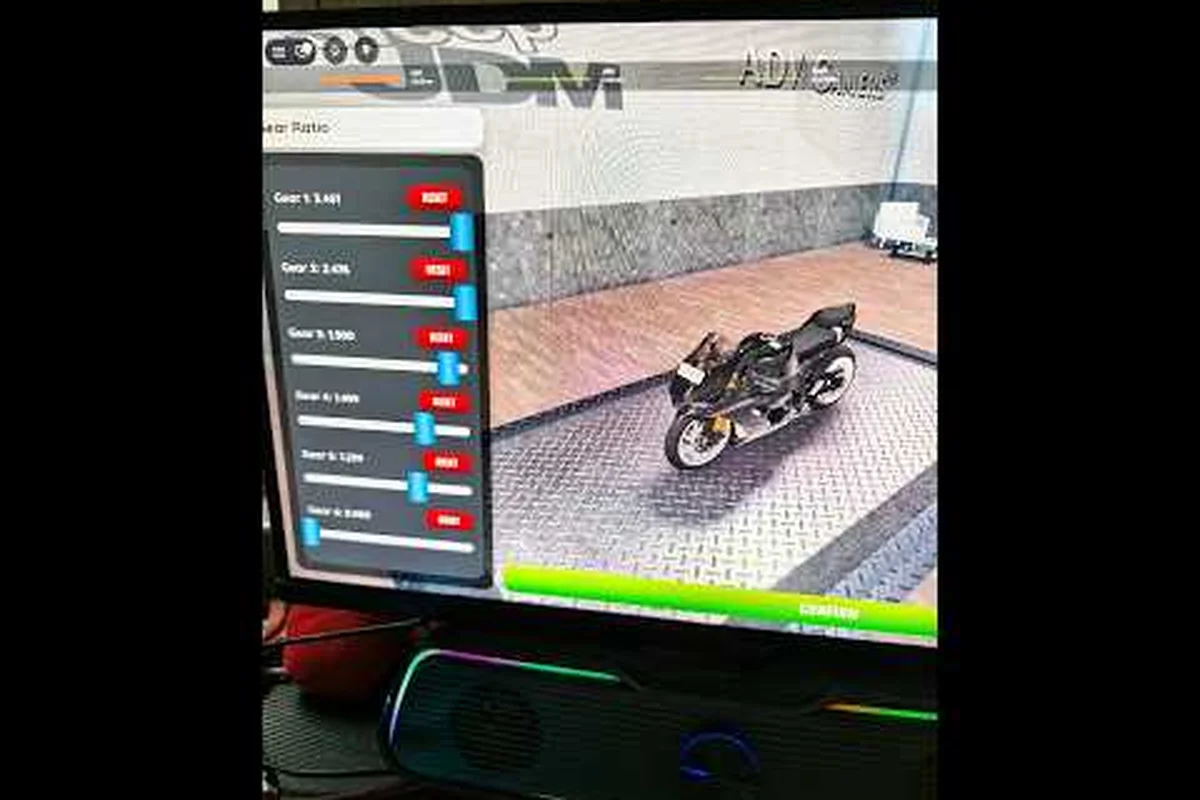
| Drivetrain | Gear ratio, final drive | 3.90 final + close-ratio box | Locks launch RPM into the powerband |
| Launch | Wheelspin, reaction time | Launch control + TC off | Cleanest 0-60 time across all strips |
The fastest drag setup in Drag Drive Simulator is not a single slider you max out — it is the four layers above tuned against each other. A heavy chassis with the best engine tune will still bog at the line, and a light chassis with the wrong final drive will spin all the way to the traps. Treat the layers as a system, not a wishlist.
What Top Speed Actually Means in DDS
In Drag Drive Simulator, top speed is the speed your vehicle holds at the 1/4 mile trap, not the speedo peak you see for a single frame. Most players chase the speedo needle maxing out, but the speed test at the city's long straightaway rewards sustained top speed across 200+ meters. Players report that cars with the same peak speedo often trap at different times because their aerodynamics change how the vehicle behaves past 180 km/h.
The Drag Drive Simulator max speed ceiling for unrestricted Aerox-class limiteds has been reported by community data at roughly 285-310 km/h on a clean tune. Without nitrous, expect 240-260 km/h. The gap between peak and trap is the tuning target — and that gap closes when the final drive is matched to the engine's torque curve.
Drag Drive Simulator Launch Tips: The First 1.5 Seconds
Launch tips are where most Drag Drive Simulator fastest drag setup attempts fail. A perfect tune cannot save a bogged launch, and a great launch cannot save a tune that runs out of breath at 150 km/h. The community-tested launch sequence below is what speed test records are built on, and it pairs with the tuning values in the next section.
The Three-Phase Launch Sequence
| Phase | Input | Timing | Goal |
|---|---|---|---|
| 1. Stage | Hold brake + throttle to ~85% | 0.0-0.4s | Build boost without spinning |
| 2. Drop | Release brake, hold throttle at 100% | 0.4-1.0s | Hook tires, drive out clean |
| 3. Shift | Tap shift at redline, not before | 1.0-1.5s | Stay in powerband through gear 3 |
Drag Drive Simulator launch control is the in-game assist that automates Phase 1. It locks boost pressure at the optimal range and prevents bogging, but it also caps your reaction if your tire compound is wrong. According to community testing, launch control works best on soft-compound tires and tends to over-spin on track compounds above 70% grip rating.
Common Launch Mistakes (and the Fix)
-
Bogging at the line: Throttle was under 80% during staging. Raise staging throttle to 85% and let the ECU hold it.
-
Wheelspin past 60 km/h: Tire compound is too soft, or final drive is too short. Move to medium-compound and bump final drive to 3.90.
-
Slow 0-60 time: Launch control is fighting your tune. Turn it off once your tune is finalized, then re-enable only for reaction-time races.
-
Shift bog in 3rd: Final drive is too long. Drop to 3.70 and re-test.
The full launch sequence is something you should rehearse on the training strip before committing it to a ranked run. For broader strategy on picking the right car for the launch, the Drag Drive Simulator drag racing breakdown covers chassis selection in detail.
Drag Drive Simulator Top Speed Tuning Sliders
Top speed tuning is where the Drag Drive Simulator fastest drag setup separates from a casual daily driver. Every slider has a tradeoff, and pushing them all to maximum will produce a car that is fast in a straight line but uncontrollable in any other situation. The table below is the community-tested 2026 build for the fastest drag setup on the main city strips.
Stage 4 ECU Slider Map
| Slider | Recommended Value | Effect on Top Speed | Tradeoff |
|---|---|---|---|
| Rev Limit | 9,200 RPM | +12-15 km/h peak | Higher wear, lower reliability |
| Cam Profile | Aggressive | +8 km/h peak | Idle quality drops |
| Fuel Map | Lean (-1) | +5 km/h peak | Slight knock risk on bad rolls |
| Boost Pressure | 1.55 bar | +18-22 km/h peak | Wheelspin if not paired with TC off |
| Nitrous | 100% / 4s | +25-30 km/h peak | Consumable, must refill at pit |
The Drag Drive Simulator top speed ceiling is gated by rev limit and boost pressure more than any other pair. According to community data, a Stage 4 ECU with the slider map above produces a measurable +45-55 km/h over a Stage 2 stock tune, which is the difference between placing mid-pack and winning the speed test.
Final Drive and Gear Ratios
| Strip Type | Final Drive | 1st Gear | 2nd Gear | 3rd Gear | 4th Gear |
|---|---|---|---|---|---|
| 1/4 Mile (City) | 3.90 | 3.20 | 2.10 | 1.45 | 1.00 |
| 1/2 Mile (Highway) | 3.60 | 3.00 | 1.95 | 1.35 | 0.95 |
| Speed Test Strip | 3.50 | 2.90 | 1.85 | 1.30 | 0.90 |
The Drag Drive Simulator max speed at the 1/4 mile trap depends on whether 4th gear is a true overdrive (0.90-0.95) or a 1:1 ratio. A 1:1 4th will trap faster on the 1/2 mile but bog in 4th on the 1/4 mile, because the engine runs out of usable rev range before the strip ends. The Drag Drive Simulator tuning guide philosophy here is to match the final drive to the strip, not to the car.
For broader customization that affects how the car feels in traffic, the kickstand system and upgrade costs breakdown explains how engine upgrades scale with each tier.
Drag Drive Simulator Speed Test: Reading the Trap
The Drag Drive Simulator speed test is the built-in benchmark on the main highway strip. According to community testing, a clean run of the fastest drag setup hits the trap between 6.8-7.2 seconds for the 1/4 mile, with a top speed reading of 280-310 km/h depending on nitrous usage and weather conditions. The trap reading is what counts, not the in-game speedo peak.
Speed Test Result Tiers (Community Data)
| Trap Speed | Tier | Setup Notes |
|---|---|---|
| 240-260 km/h | Stock | Stage 2 ECU, no nitrous, default tires |
| 260-285 km/h | Tuned | Stage 4 ECU, soft tires, 3.70 final |
| 285-310 km/h | Top Setup | Stage 4 + nitrous + 3.50 final + launch sequence |
| 310+ km/h | Limited Only | Event-only Aerox limited with anomaly parts |
The Drag Drive Simulator speed test tier you land in is the cleanest signal that your tune is working. If you are stuck at 260-285 km/h with the slider map above applied, the bottleneck is almost always the launch phase, not the engine tune. Re-run the three-phase launch sequence and confirm the throttle is at 85% during staging — the difference between a clean launch and a bogged launch is roughly 0.4 seconds and 15-20 km/h at the trap.
Reading the Run Data
After each Drag Drive Simulator speed test attempt, the post-run screen shows four numbers: 0-60 time, 0-100 time, 1/4 mile elapsed, and trap speed. The fastest drag setup will not win on every number — for example, a setup with a longer final drive will have a faster 0-60 but a slower trap. Match the run priorities to the strip, then optimize.
| Priority | Strip | Best Run Data Signal |
|---|---|---|
| Reaction race | Short circuit | 0-60 time under 1.8s |
| Quarter mile | City strip | Trap speed above 285 km/h |
| Top speed run | Highway | 1/2 mile trap above 300 km/h |
| Endurance | Mixed road | 0-100 time under 4.2s |
If you are still learning the test format and want a broader walkthrough of how DDS runs work, the Drag Drive Simulator new player guide covers the speed test entry point and the first-time unlocks.
Drag Drive Simulator Tuning Guide: Full Build by Vehicle Class
The fastest drag setup in Drag Drive Simulator changes shape based on the vehicle class you bring to the strip. A community Aerox-class limited on Stage 4 will trap differently than a stock coupe on Stage 3, even with the same slider values. The breakdown below is the 2026 community-tested build per class, sourced from speed test leaderboard data reported by players.
Aerox-Class Limited
| Component | Setup | Notes |
|---|---|---|
| Engine | Stage 4 + anomaly intake | +30 km/h peak over stock |
| Boost | 1.60 bar | Pairs with anomaly turbo |
| Tires | Soft compound, low pressure | Maximize launch grip |
| Nitrous | 4s burst at 4th gear shift | Best trap gain per unit |
| Top Speed | 305-315 km/h | Event-only configuration |
Stage 3+ Coupe (Non-Limited)
| Component | Setup | Notes |
|---|---|---|
| Engine | Stage 4 ECU, race cam | +20 km/h peak |
| Boost | 1.50 bar | Slight wheelspin risk |
| Tires | Medium compound | Balance grip and trap speed |
| Nitrous | 3s burst at 3rd gear shift | Cheaper than full 4s |
| Top Speed | 285-295 km/h | Daily-driver configuration |
Stock Coupe (Free-to-Play)
| Component | Setup | Notes |
|---|---|---|
| Engine | Stage 2 ECU, stock cam | +8 km/h peak |
| Boost | 1.25 bar | Safe for low-tier tires |
| Tires | Stock compound | No grip tuning available |
| Nitrous | None (locked) | — |
| Top Speed | 245-255 km/h | Baseline reference |
The Drag Drive Simulator tuning guide above is the answer for most players, but limited-edition Aerox drops and event rewards can shift the ceiling by 15-25 km/h. If you are chasing the absolute top of the speed test leaderboard, the Drag Drive Simulator tuning guide and best upgrades page tracks which parts are currently available from seasonal events.
Drag Drive Simulator Launch Control: When to Use It, When to Skip
Launch control is the in-game assist that holds boost pressure at staging so the tires hook cleanly on the green light. It is the single largest accessibility tool in the Drag Drive Simulator fastest drag setup, but it is not always the fastest path to the trap. According to community data, launch control adds roughly 0.05-0.10s to your reaction time in exchange for a cleaner 0-60 split.
When Launch Control Helps
-
Reaction-time races: The 0.05-0.10s reaction loss is smaller than the 0.4s gain from a non-bogged launch.
-
Soft-compound tires: The assist prevents the bog that soft tires cause when staging throttle is too high.
-
Wet or dirty strips: Reduced grip makes the assist's staging throttle more reliable than manual control.
When to Skip Launch Control
-
Hard-compound tires: The assist over-spins, costing more time than it saves.
-
Speed test runs: Reaction time does not matter, so the cleanest possible 0-100 is the priority.
-
Final drive above 3.90: The longer gearing already provides enough staging torque, and the assist fights the tune.
The Drag Drive Simulator launch control toggle is in the same settings menu as the ABS and traction control sliders. Most top-level racers leave it on for ranked play and off for solo speed tests. The setup you build in the garage matters less than the assist configuration you bring to the line, because the assist determines how cleanly the tune translates into a real launch.
Putting the Fastest Drag Setup Together
The Drag Drive Simulator fastest drag setup is a system of four layers, not a single maxed-out slider. Chassis choice sets the power-to-weight ceiling, engine tune sets the peak speed, drivetrain sets where in the rev range the peak arrives, and launch behavior sets whether the car actually reaches the peak before the traps. Each layer has its own tradeoff table, and the best builds in 2026 are the ones where all four layers point in the same direction.
According to the ADV Gamers Team developer community, seasonal updates like Independence Day and Ramadan have historically shifted the meta by adding event-limited parts that bump the ceiling by 10-20 km/h. A community showcase of an Aerox limited drop can be seen in the Roblox Drag Drive Simulator Aerox All New Limited Showcase walkthrough, which shows the part stats and how they slot into the Stage 4 slider map. For context on the full 2026 event roadmap, the Independence / Merdeka Event 2026 Full Quest Tutorial explains how the Merdeka questline awards event parts that feed into the fastest drag setup.
If you take one thing from this guide, take this: the Drag Drive Simulator fastest drag setup is repeatable, and it is built from the same four layers every time. Pick the chassis, set the sliders, lock the final drive, rehearse the launch. The trap speed follows.
Frequently Asked Questions
What is the fastest drag setup in Drag Drive Simulator in 2026?
The community-tested Drag Drive Simulator fastest drag setup uses a Stage 4 ECU, 1.55 bar boost, soft-compound tires, a 3.50 final drive, and a three-phase launch sequence with 85% staging throttle. With nitrous, this build traps at 305-315 km/h on event-only Aerox limited cars and 285-295 km/h on a Stage 3+ coupe.
How do I improve my Drag Drive Simulator launch tips for reaction races?
Use the three-phase launch sequence: hold brake with throttle at 85% for 0.4s, drop brake and floor throttle for 0.6s, then shift at redline. Drag Drive Simulator launch control helps most on soft tires and wet strips, but skip it on hard compounds above 70% grip because it will over-spin and cost reaction time.
What is the max top speed in Drag Drive Simulator without mods?
According to community data, the Drag Drive Simulator max speed ceiling on a clean Stage 4 tune is roughly 285-310 km/h at the 1/4 mile trap. Event-only Aerox limiteds with anomaly parts can push the trap to 315+ km/h. The speedo peak in a single frame is higher than the trap, but the trap is what the speed test rewards.
Does launch control always help in Drag Drive Simulator?
No. Drag Drive Simulator launch control adds 0.05-0.10s of reaction delay in exchange for a cleaner 0-60. It is best for reaction races on soft tires, and it hurts on hard compounds and solo speed test runs. Most top-level players leave it on for ranked play and off for personal best attempts.
What is the best tuning guide path for a new Drag Drive Simulator player?
Start with a Stage 2 stock tune to learn the launch sequence, then push to Stage 3 with a 3.90 final drive. Once the launch is consistent, move to Stage 4 with the slider map in this Drag Drive Simulator tuning guide. Avoid maxing boost before the tires and final drive are matched, because over-boost on a stock drivetrain will bog every launch.